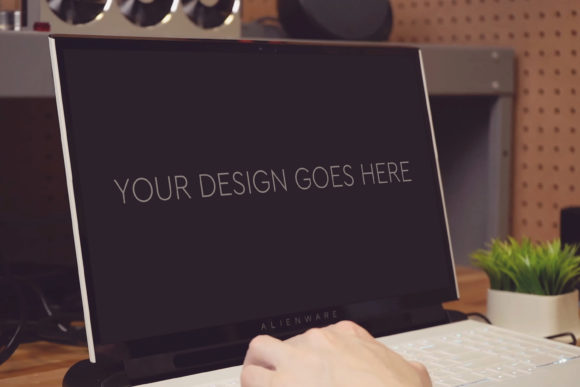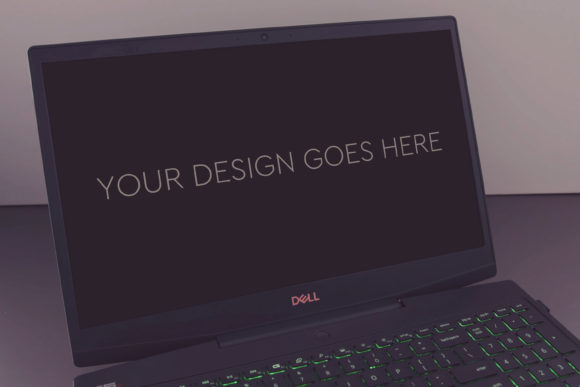
Gaming Laptop Mockup 21: A Design Professional's Secret Weapon
In the competitive world of digital design and marketing, presentation is everything. You might have crafted a stunning game UI, a sleek website, or a compelling advertisement, but without a professional context to showcase it, your work can lose its impact. This is where a high-quality mock-up becomes indispensable. Gaming Laptop Mockup 21 is not just another template; it is a meticulously crafted tool designed to transform your flat screenshots into vibrant, realistic presentations that captivate clients and stakeholders.
The Core Challenge: Presenting Digital Designs with Real-World Impact
Designers and marketers face a common hurdle: bridging the gap between a digital file and a viewer's imagination. A screenshot of a game interface on a plain background fails to convey how it will feel to a player in their environment. A web design displayed statically doesn't suggest the experience of browsing on a high-performance machine. The goal is to create trust and excitement, to make your design feel tangible, immersive, and ready for the market. This requires context—a stage upon which your work can perform.
Traditional methods of creating this context are often time-intensive. Manually compositing a design into a stock photo of a laptop involves complex masking, lighting matching, and perspective correction. For freelancers, agencies, and in-house teams alike, this process drains valuable time from the core creative work. The need is for a solution that is both high-quality and remarkably efficient, delivering professional results without professional overhead.
How Gaming Laptop Mockup 21 Addresses These Presentation Needs
Gaming Laptop Mockup 21 is engineered specifically to solve this efficiency-quality dilemma. At its heart, it is a Photoshop PSD file built with smart, practical features that prioritize the user's time. The key phrase is "very easy to use." By utilizing Smart Object technology, the mock-up allows you to simply "pop in" your design or screenshot. Your artwork automatically conforms to the realistic perspective and lighting of the laptop screen. This automation is the game-changer; it turns a multi-step technical process into a single, swift action.
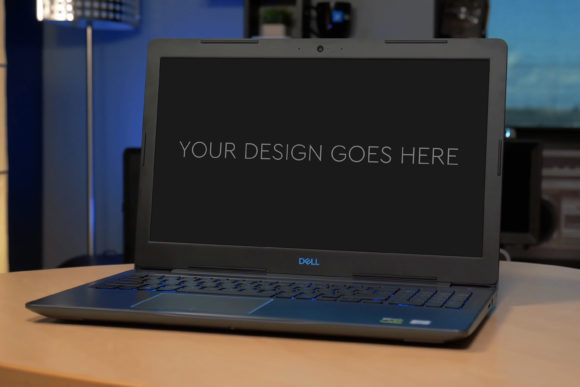
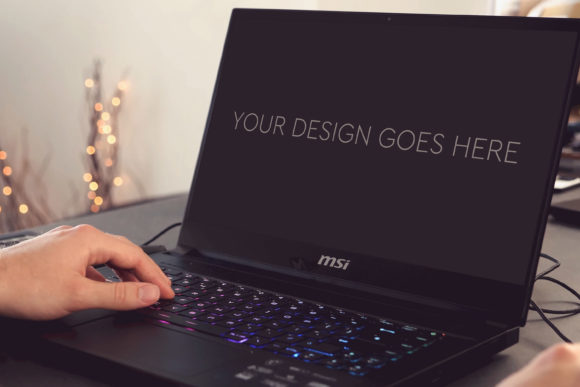
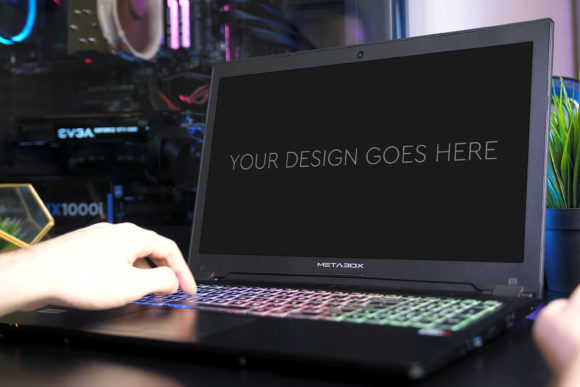
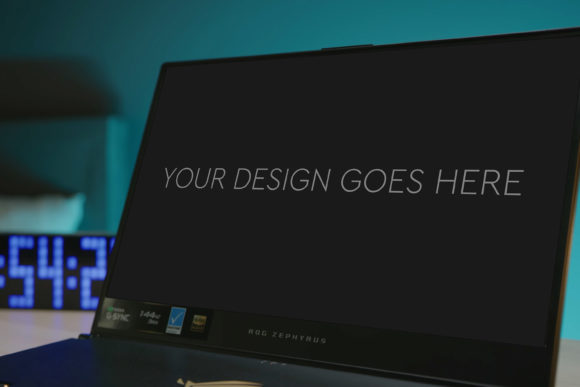
The outcome is immediate. Your design is now showcased on a high-end gaming laptop in a stylish setting. The high quality mock-up, rendered at 3000x2000px at 300dpi, ensures every detail is crisp, suitable for both high-resolution portfolios and print materials. The included beautiful photo filters offer further customization, letting you tweak the ambiance—perhaps making the scene warmer for a fantasy game or cooler for a tech product—to better align with your design's mood.
Practical Applications Across Different Fields
The utility of Gaming Laptop Mockup 21 extends far beyond its name. While perfect for game developers and UI designers, its applications are broad.
- Game Developers & UI Artists: Use it to present menu screens, in-game HUDs, or promotional artwork in a context gamers instantly recognize. It helps sell the experience before the game is even built.
- Web & App Designers: Showcase website homepage concepts or mobile app interfaces on a laptop screen. This demonstrates how the design will look in a typical user scenario, making it more relatable for clients.
- Digital Marketers & Agencies: Create compelling ad visuals for social media or banners. Placing a promotional graphic or a landing page design on a sleek laptop adds a layer of sophistication and desirability to the offer.
- Freelancers & Portfolio Builders: Elevate your online portfolio or client pitches. Presenting your work professionally builds credibility and can directly influence project acquisition and hiring decisions.
For each of these users, the layered and grouped PSD structure is a significant benefit. If you wish to go beyond the automatic placement and customize the scene—perhaps adjusting the background or the laptop's angle—the organized layers give you clear, easy control without starting from scratch.
Achieving Better Outcomes: From Impressions to Conversions
Implementing a tool like Gaming Laptop Mockup 21 translates directly into improved outcomes. The primary outcome is enhanced communication. A realistic mock-up eliminates ambiguity. Clients and stakeholders no longer have to imagine how the design will be used; they can see it. This clarity reduces revision cycles and accelerates approval processes.
The secondary outcome is heightened perceived value. Work presented in a premium context is perceived as more premium itself. This can be crucial when bidding for projects, attracting users on a marketplace, or seeking investment. It transforms a design from a concept into a product-ready asset. Finally, the outcome of time recovery is profound. The minutes or hours saved per presentation compound, freeing you to focus on creativity, client management, or business growth.
Recommendations and Key Considerations
To maximize the value of Gaming Laptop Mockup 21, consider a few practical tips. First, ensure your source screenshot or design is of high resolution itself to match the 3000x2000px canvas. Second, experiment with the photo filters. A subtle adjustment can make your design feel more integrated into the scene. Third, remember that the mock-up is a starting point. Use the grouped layers to hide or tweak elements if you need a simpler composition for a specific platform like a thumbnail.
It's also wise to approach the mock-up with your audience in mind. A venture capitalist might prefer a clean, focused presentation, so you might minimize background elements. For a gaming community, a more atmospheric, filtered scene might resonate better. Gaming Laptop Mockup 21 provides the flexibility to cater to these nuances.
Tailoring the Tool to Your Specific Process
How you integrate Gaming Laptop Mockup 21 will depend on your role and workflow. A solopreneur might use it as a final polish step for every client delivery, saving it as a template in Photoshop for rapid reuse. A design team lead might incorporate it into the department's quality standards, ensuring all external presentations maintain a consistent, professional look. An marketer might use it primarily for creating a library of ad visuals, batch-processing multiple designs through the smart object to generate a campaign suite quickly.
The common thread is that it serves as a reliable, repeatable solution for a recurring need. It removes the variable of presentation quality from the equation, allowing you to invest your energy where it matters most: in the design itself. By making the presentation process automatic and high-quality, Gaming Laptop Mockup 21 empowers you to focus on your core mission—creating exceptional digital experiences—while ensuring those experiences are seen in their best possible light.
In essence, Gaming Laptop Mockup 21 is more than a digital asset; it is a strategic partner in presentation. It addresses the practical need for speed and quality, helps overcome the challenge of making digital work feel tangible, and unlocks better outcomes through clearer communication and enhanced perceived value. Whether you are presenting a game, a website, or a campaign, this mock-up provides the realistic, engaging stage that turns your design into a convincing, ready-for-action showcase.